
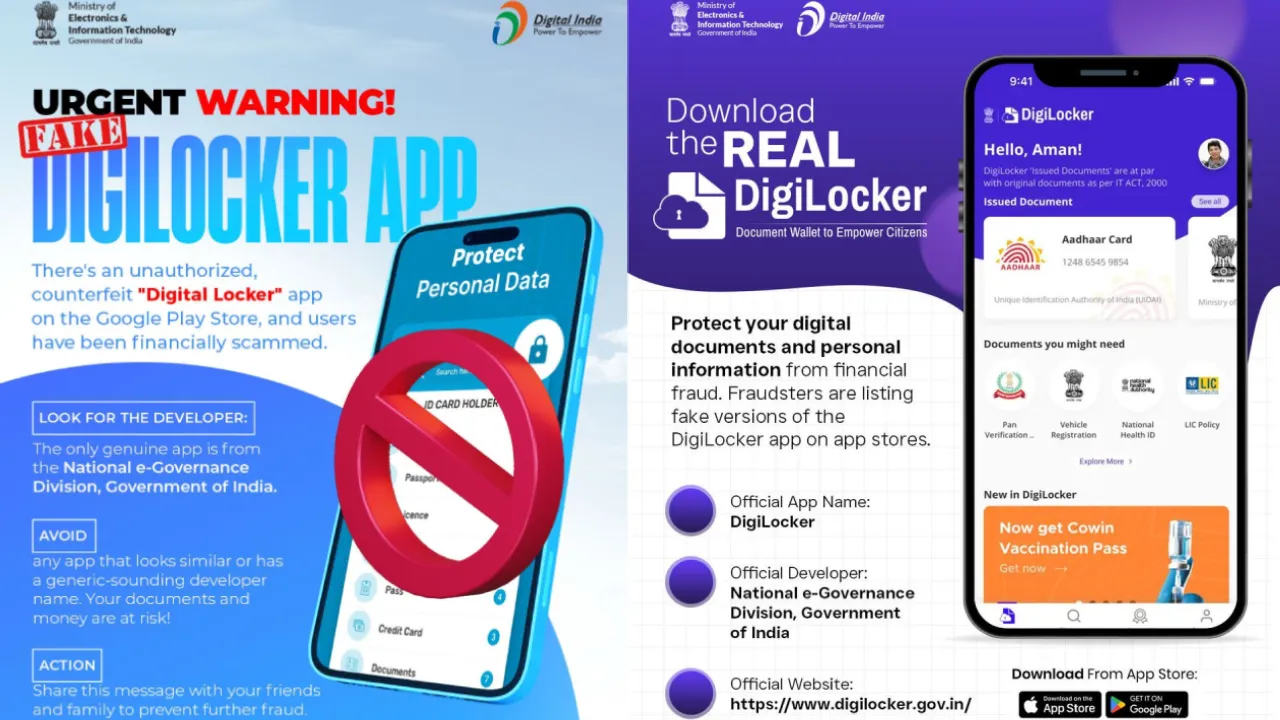
In the age of Digital India, DigiLocker has become a trusted and popular app for securely storing government documents. Millions of Indians use it daily. However, scammers are now exploiting this popularity. The Ministry of Electronics and Information Technology (MeitY) recently issued a serious warning, urging citizens to be vigilant about fake DigiLocker apps. These fraudulent apps not only look authentic but can steal sensitive information from your Aadhaar card, PAN card, and other critical documents, potentially causing you significant harm.
Official Warning from the Ministry
MeitY has clarified that several deceptive apps are available that falsely claim to be the official DigiLocker app. Through social media and various platforms, the ministry has appealed to the public not to download any unauthorized or third-party applications.
How Do These Fake Apps Work?
These fraudulent apps trick users into uploading their documents or entering their Aadhaar/PAN numbers. Once the user enters their information, the data goes directly to the scammers, who can use it for identity theft, financial fraud, or other illegal activities.
How to Identify the Authentic App?
MeitY has advised citizens to only download the app from official sources:
- Google Play Store (for Android) and Apple App Store (for iOS): Always use these official app stores.
- Check the Developer Name: Ensure the developer name listed under the app is “National e-governance Division, Government of India“.
- Official Website: Use only the links provided on the official website, https://www.digilocker.gov.in, to download the app.
Safety Tips for Users
- Do Not Click Links: Avoid downloading the app from any suspicious links sent via SMS, WhatsApp, or email.
- Check Reviews and Ratings: Always look at the app’s reviews and ratings before downloading.
- Permissions: If an app requests unnecessary permissions (such as access to your contacts or SMS), be cautious and alert.
MeitY emphasizes that citizens should prioritize digital security and rely only on verified government platforms. Stay safe and protect your private information.