
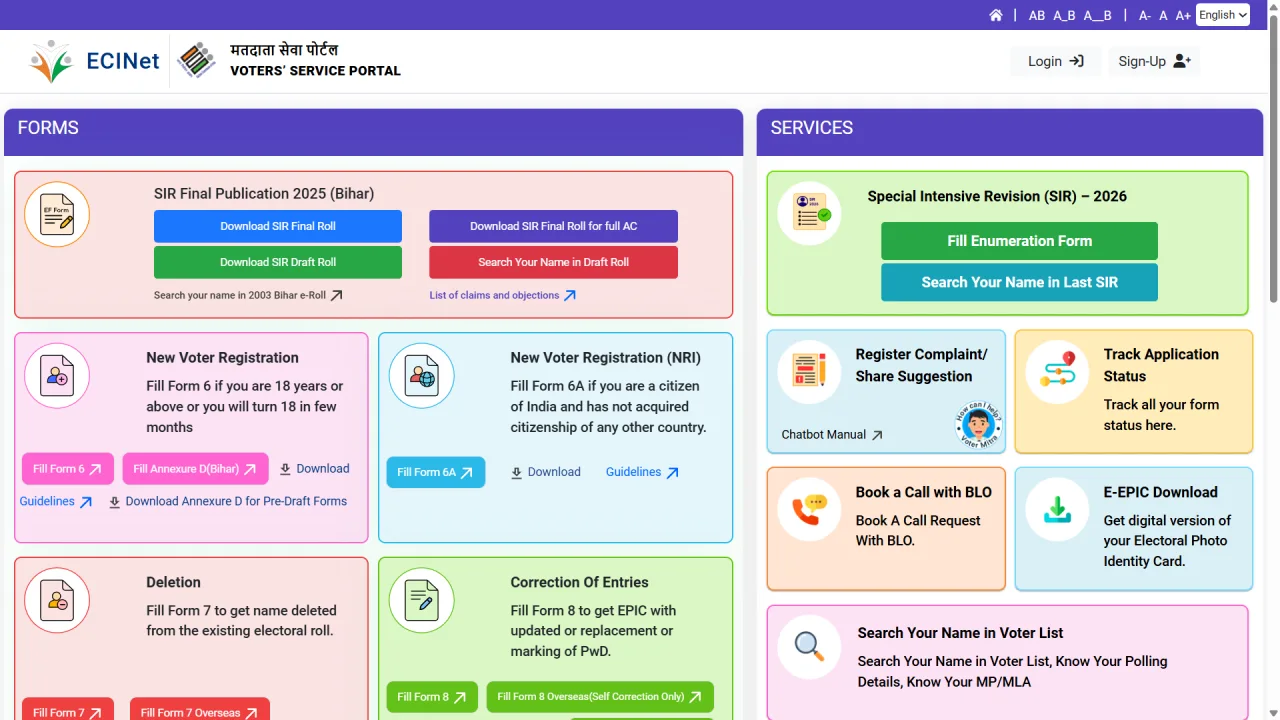
The Election Commission of India (ECI) has launched the Special Intensive Revision (SIR) 2025 campaign with upcoming elections in mind. The objective of this campaign is to ensure that all eligible citizens of the country have their names correctly included and updated in the electoral roll. If you want to know whether your name is in the 2025 voter list, you can easily check it online from home.
This article will guide you on how to search for your name in the voter list using the Election Commission of India website or the Voter Service Portal.
Online Process to Check Name in Voter List 2025
There are two main ways to check your name in the electoral roll: Search by Details and Search by EPIC Number.
1. Search by Details
In this method, you need to enter your personal information such as your name, father’s name, and address.
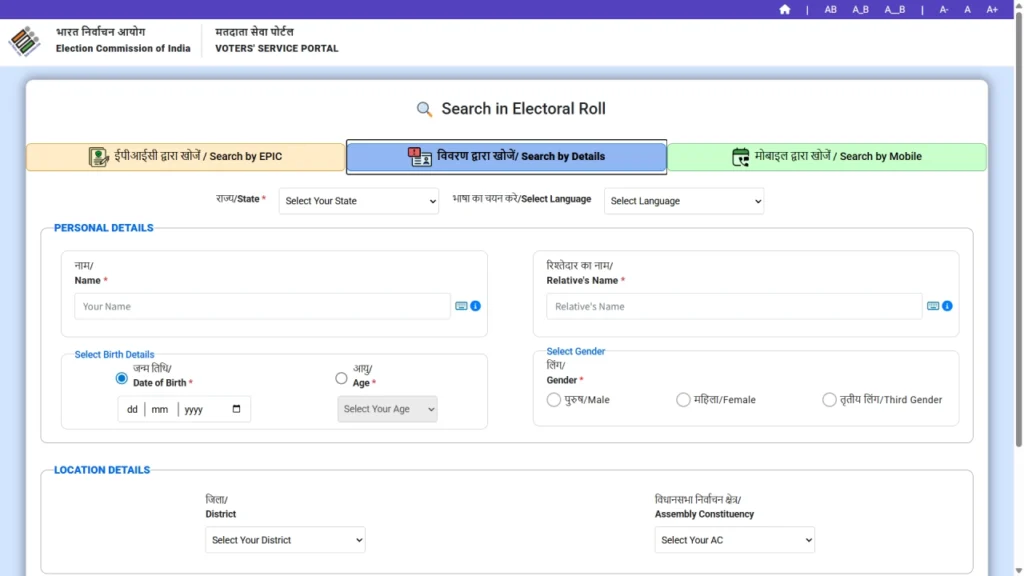
- Visit the Voter Service Portal.
- Select the “Search by Details” option.
- Enter your Name, Father/Husband’s Name, Age or Date of Birth, Gender, State, and District.
- Fill in the Captcha code shown on the screen.
- Click on the “Search” button.
- If your name is in the list, the details will appear on the screen. You can click on “View Details” to see the complete information.
2. Search by EPIC Number
This method is the easiest and fastest, provided you have your Voter ID (EPIC) number.
- Visit the Voter Service Portal.
- Select the “Search by EPIC” option.
- Enter your EPIC (Elector Photo Identity Card) number.
- Select your State.
- Fill in the Captcha code and click on “Search”.
- Your name and polling station information will be displayed on the screen.
3. Search by Mobile Number
You can also get information through your registered mobile number.
- Visit the Voter Service Portal.
- Select the “Search by Mobile” option.
- Select your state and language, enter the mobile number and captcha code.
- Click on “Send OTP”, enter the received OTP, and tap “Search”.
Option to Download PDF Voter List (Electoral Roll)
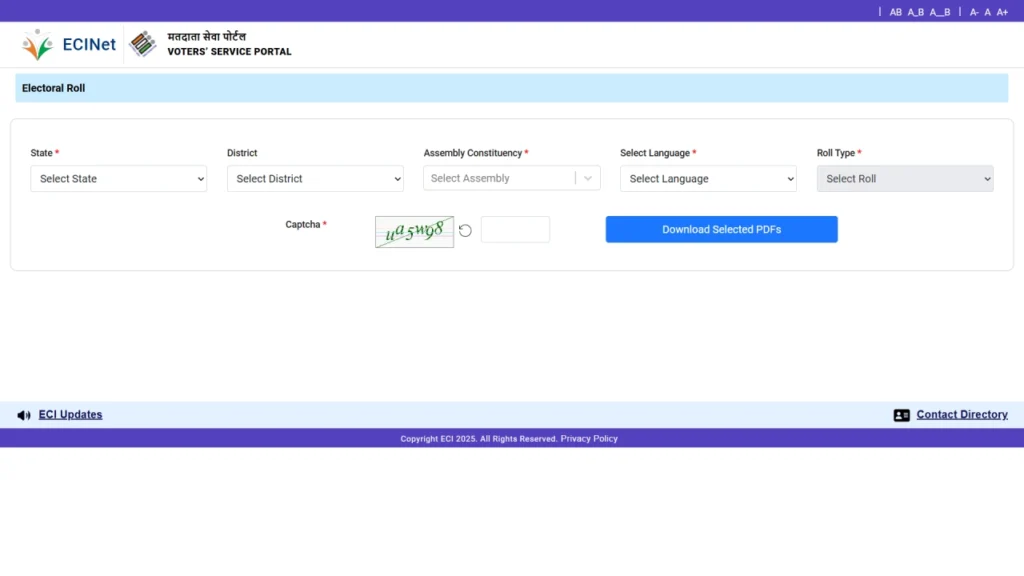
You can also download the complete PDF voter list (Electoral Roll) for your polling station.
- Go to the Voters Services Portal.
- Click on the “Download e-Roll PDF or Download Electoral Roll” section.
- Select your State, District, and Assembly Constituency.
- Click on “Final Roll” in front of your polling station to download the PDF.
If you cannot find your name, try different spellings or fill in additional information such as District and AC. You can call the ECI Helpline number 1950 for any assistance.